Is Payload right for you?
After twenty-five years of building digital products, I've learned that choosing a CMS isn't about picking the most popular or the flashiest. It's about being honest about your team's capabilities, your project's constraints, and what you're actually trying to achieve.
Payload CMS has stood out to me recently—not because it's the newest thing, but because it takes a pragmatic approach to a familiar problem: how to balance developer control with a solid editorial workflow without ending up with an unmaintainable tangle.
The real question isn't whether Payload is good. It's whether it's good for your specific situation.
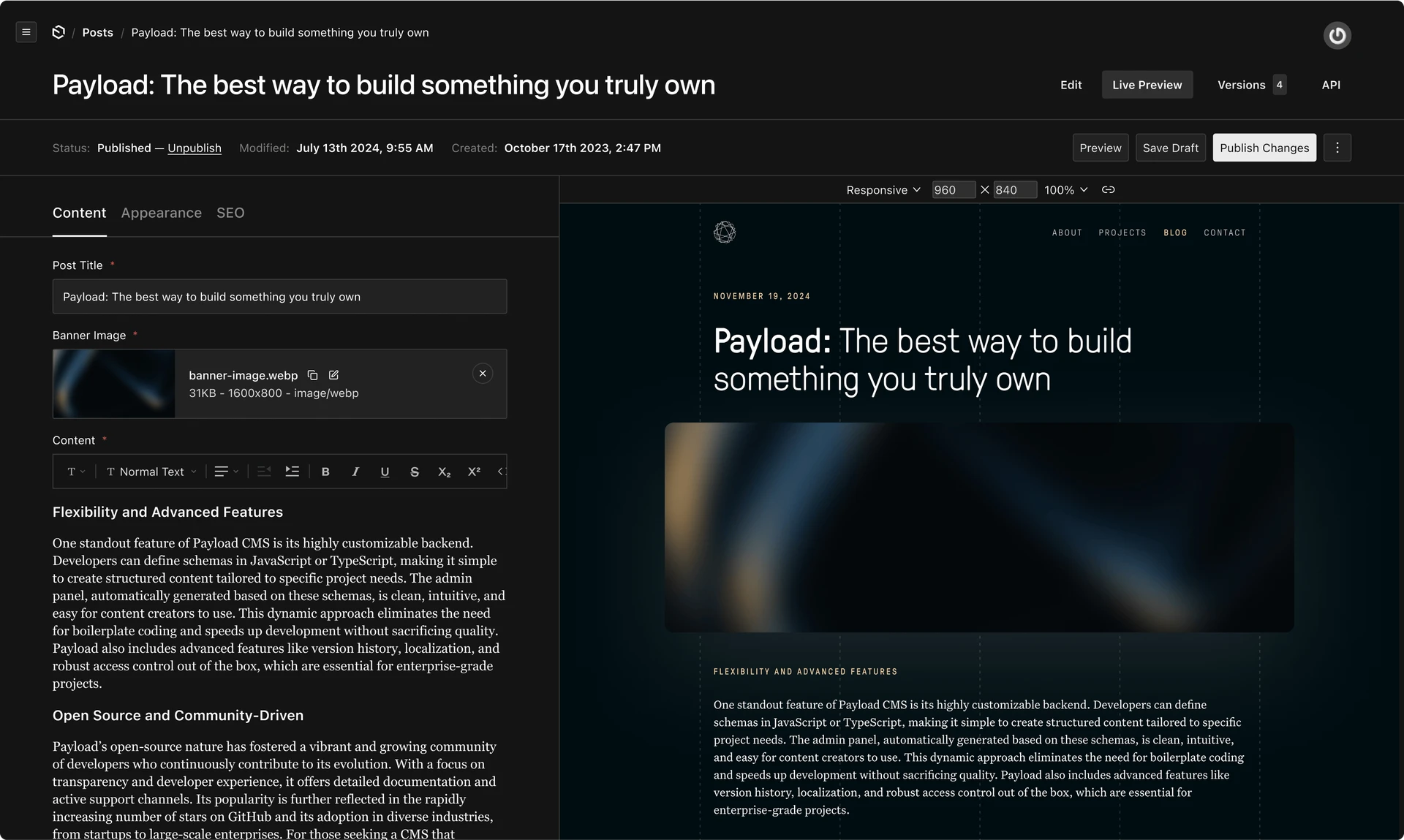
A developer-first model that holds up under pressure. Payload's defining characteristic is its code-based configuration. Schemas, relationships, and business logic live alongside your application code in TypeScript. Deployments are predictable, versioning doesn't drift between environments, and your CMS evolves with your application rather than holding it back. If your frontend is on Next.js, the integration story is particularly strong, with an official template that gets you productive quickly.
Flexibility across architecture and workflow. Payload is comfortable in a range of scenarios—from straightforward websites to more application-like builds. It can also operate as both CMS and DAM in one tool, with folder-based organisation, file versioning, and media access controls. That can remove the need for a separate asset platform, simplifying your stack and governance.
Cost control by design. The ability to self-host or run in your own cloud gives you options. You're not locked into per-seat or per-environment premiums. You're trading subscription simplicity for control—but for many teams, that translates into more predictable total cost of ownership over time.
Auth and permissions that don't feel bolted on. Payload treats authentication and permissions as first-class concerns. Complex permission models and multi-role scenarios are achievable without a patchwork of external services. If your application has nuanced access rules, this matters.
A smaller (but growing) community. Compared to older platforms, Payload's ecosystem is smaller. You'll find fewer plugins and less third-party content today. That said, its momentum has stepped up since the team joined Figma, which provides additional backing and a clear path for continued development. Still, if rapid answers from a large community are critical, this is a factor to weigh.
Hosting and maintenance are your responsibility. You get flexibility, but you inherit responsibility. Running a Node.js app with a database is straightforward for many teams—but it still requires someone to own updates, security, backups, and monitoring. If your organisation wants the lightest possible operational footprint, a fully managed CMS may be simpler, even if more expensive.
Editorial experience is something you design. Payload gives you building blocks—custom fields, flexible layouts, an extensible admin—but it doesn't impose a single editorial paradigm. That's a strength if you're prepared to shape an experience around your workflows. It's a weakness if you need everything polished out of the box without product or design input.
Strapi is also developer-friendly, but its workflow typically starts in the admin UI, generating schema files. Code-first is possible but not the default. In larger teams and multi-environment setups, that can introduce deployment friction. If you want your schema driven purely from code, Payload's approach is more opinionated in that direction.
Sanity excels at real-time collaboration and a polished editorial experience out of the box. It's a great choice when content collaboration is paramount and you prefer a fully managed model. The trade-off is cost and infrastructure control. If you need tighter integration with custom application logic or cost control through self-hosting, Payload tends to fit better.
Contentful provides a mature headless model with strong tooling but can become costly at scale. WordPress is versatile and familiar with an enormous ecosystem, but you'll inherit its operational and security profile. Payload sits closer to "application framework with CMS" than "CMS with APIs"—strongest when content and application behaviour are tightly coupled.
If your team wants to treat the CMS as part of the application and you value control over your data model, deployment, and costs, Payload is an excellent candidate. It's a natural fit for product studios, SaaS teams, and custom builds where business logic and content are intertwined. It's also a good option when you want to avoid vendor lock-in and you're comfortable owning the operational aspects that come with that control.
If you have a thin engineering bench, an aggressive deadline, and need polished editorial workflows on day one, a fully managed platform may be safer. If your team isn't fluent in modern TypeScript practices, the learning curve can outweigh the benefits. And if operations must be minimised to the absolute bare minimum, a cloud-only CMS may be the pragmatic choice despite higher fees.
I'd frame the decision around a handful of practical questions:
A well-scoped pilot will tell you more in two weeks than a month of research. Time-box a sprint to build something real: one core content type, a minimal editorial workflow, a basic frontend. Then push it through typical changes—add fields, evolve relationships, introduce permissions, simulate a staging-to-production deployment.
Assess three things honestly:
If the answers are mostly positive, Payload is likely a good fit. If you found yourself bending your process around the tool, consider a more managed alternative.
Trends come and go. The projects that have gone best over the years were those where the technology matched the team and the problem. Payload's developer-centric model, flexible architecture, and cost control options make it a strong choice for teams who want to build rather than assemble. The Figma acquisition adds confidence in the platform's direction, but the decision should still be rooted in your needs, not the news cycle.
Not sure which platform fits your situation? We offer a no-obligation platform evaluation to help you weigh the trade-offs with your context in mind. Or learn more about Distinction's CMS and DXP advisory practice.